Time Requests
What are Time Requests?
Creating a Time Request
 A time request is created when a worker logs hours into a timesheet code that requires supervisor approval; for
this guide, we will log overtime hours that require overtime approval.
A time request is created when a worker logs hours into a timesheet code that requires supervisor approval; for
this guide, we will log overtime hours that require overtime approval.
From your Timesheet
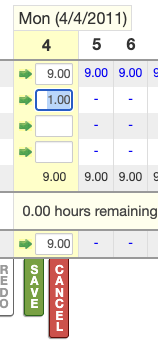
One of two ways to create a time request is to do it from your timesheet. To do this, log the hours into any code that requires approval. An example of what this might look like is shown on the right.
From the Time Requests popup
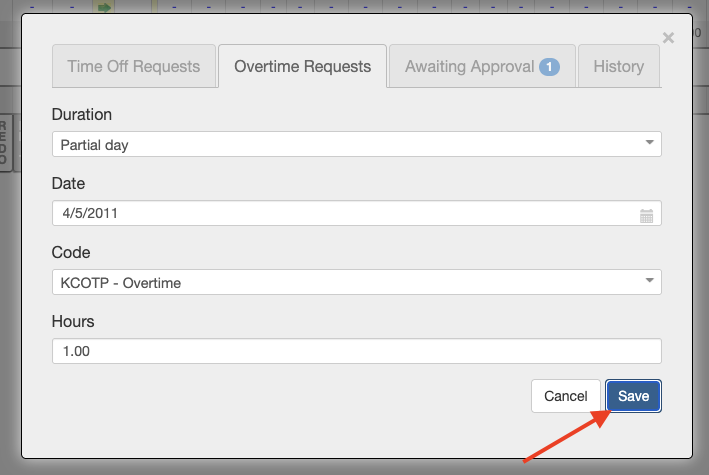
The second way to create a time request is from the Time Requests popup; here, you will find two dedicated time request generators: one for time off and the other for overtime. Using the generators is very simple; fill out the options shown below to match the day, hours, and code of your choice.
Awaiting Approval
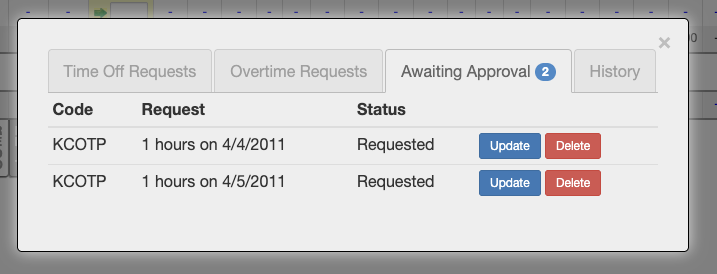
After creating time requests, they will appear in the awaiting approval tab until they are reviewed and processed
by a supervisor. This tab displays relevant information, including the Code, Request, and Status. You also have
the option to edit or delete any of your time requests.
Managing Time Requests
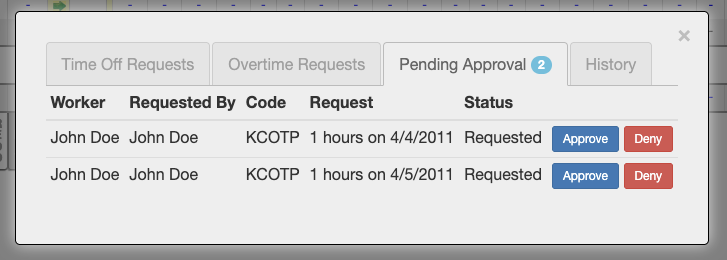
Once a worker has created a time request, a supervisor can access the request via the pending approvals tab. You
can access the Awaiting Approvals tab directly from the Time Request popup or by clicking View Pending Approvals in
the supervising menu. Once in the pending approval tab, a supervisor can approve or deny each request. Approving a
request requires no secondary documentation. However, when denying a time request, you must provide a reason for
doing so.
Giving Notice
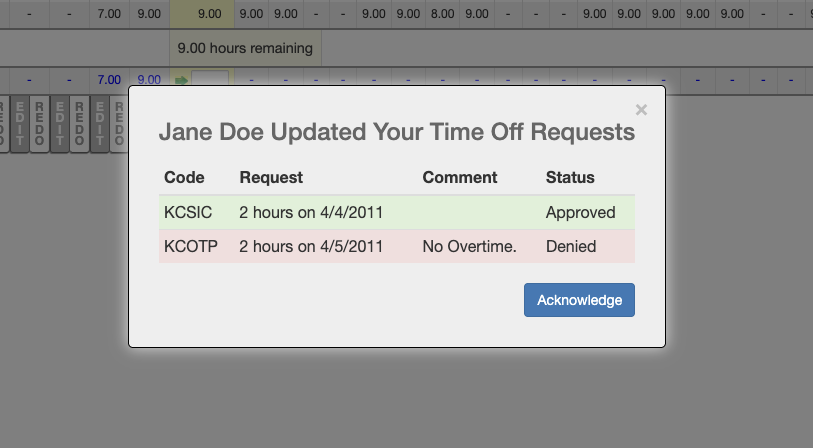 When a worker signs in after their supervisor has approved or denied their time request, they will receive notice of
which of their time requests have been accepted/denied and the reason, if applicable. After acknowledging their updated
time requests, you may view them in the history tab.
When a worker signs in after their supervisor has approved or denied their time request, they will receive notice of
which of their time requests have been accepted/denied and the reason, if applicable. After acknowledging their updated
time requests, you may view them in the history tab.